Platform Comparison
WordPress vs Next.js: Which Should Power Your Website?
Most comparisons of these two skip the fact that makes the comparison tricky: they are not the same category of tool. This guide starts there, then compares them where they genuinely compete — with cited field data, not vibes. Updated August 2026.
First, the category difference everyone skips
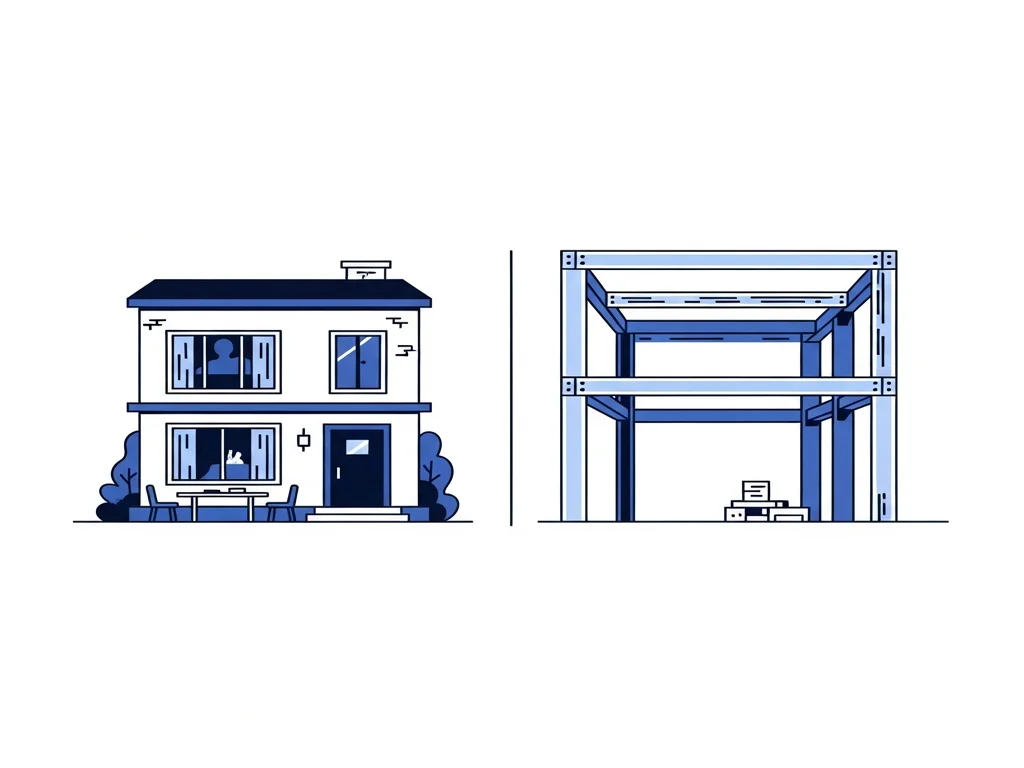
WordPress is a product; Next.js is a foundation. WordPress is a complete content management system — install it and you have an admin, an editor, themes, plugins, and a database, today. Next.js is a React framework: a set of engineering primitives (routing, Next.js documentation on rendering covers its server- and client-rendering options) that developers use to build a website or application. Out of the box it renders nothing but what someone codes.
So “WordPress vs Next.js” really asks: do you want to adopt a finished content product, or commission a custom build on a modern foundation? That’s why this page compares them on buyer-relevant dimensions rather than pretending they’re two brands of the same thing — and why one legitimate answer is both(WordPress as editorial backend, Next.js as frontend — covered below).
WordPress is usually the right call if…
- Editors need a familiar admin, immediately, without engineering
- The site is content-shaped: publishing, brochure, blog-driven leads
- Budget or timeline can’t absorb a custom build
- Existing plugins cover your functional needs
Next.js is usually the right call if…
- The site is software-shaped: custom features, integrations, tools, portals
- Performance targets are real, with business consequences
- You’re generating structured pages programmatically at scale
- A development team (in-house or agency) will own it long-term
At a glance: twelve dimensions
| Dimension | WordPress | Next.js | Edge |
|---|---|---|---|
| What it is | A complete CMS: admin, editor, themes, plugins, database — a product you install and use. | A React framework: a foundation developers build products on. It ships with nothing until someone builds it. | Depends |
| Who operates it day-to-day | Content editors and site owners, without developers for routine work. | Developers. Non-technical editing exists only if a CMS is integrated behind it. | WordPress |
| Time to launch | Days for a standard site — themes and plugins substitute for engineering. | Weeks or more — everything visible is designed and built. | WordPress |
| Upfront cost | Lower: the theme/plugin economy and a huge labor market compress budgets. | Higher: professional design and engineering time, no shortcuts. | WordPress |
| Performance (field data) | 46.3% of origins passed all Core Web Vitals in the Nov 2025 HTTP Archive snapshot. | 68% of Next.js mobile origins passed in April 2026 CrUX-derived benchmarks. Higher — but not automatic. | Next.js |
| Editing experience | The most familiar admin on the web; editorial workflow out of the box. | Whatever you build or integrate (headless CMS). Can exceed WordPress — starts at zero. | WordPress |
| Custom functionality | Plugins first; custom PHP against CMS extension points when plugins run out. | First-class. Application logic, API routes, and integrations are the framework’s home turf. | Next.js |
| SEO control | Mature plugin tooling covers most needs; bloat can undercut the speed side. | Rendering strategy, metadata, and structured data controlled in code, per route. | Depends |
| Security surface | 91% of 2025 ecosystem vulnerabilities were in plugins (Patchstack) — surface grows with plugin count. | Small dependency surface, no plugin marketplace; security rests on your team’s practices. | Next.js |
| Hosting | Any PHP host, from $5 shared to managed platforms; quality varies enormously. | Modern platforms (Vercel, Netlify, containers) with generous free tiers; scales with usage. | Depends |
| Hiring pool | The largest in web work, at every price point. | Large and growing — React leads framework usage; Next.js at 21.5% of developers (SO 2025) — but costs more. | WordPress |
| Escape hatches | Can go headless later: keep the admin, replace the frontend. | Can adopt any CMS backend later — including WordPress — without replatforming the frontend. | Depends |
Tally: WordPress 5 · Next.js 3 · Depends 4. Scale matters here: WordPress runs 41.2% of all websites; Next.js is detected on 3.1% (W3Techs, CMS usage survey; W3Techs, Next.js usage survey, both August 2026). They serve different jobs.
Performance: real gap, honestly sized
The field data comes from Google’s Chrome UX Report, aggregated by platform. Two snapshots, stated precisely because they measure slightly different things:
- WordPress: 46.3% of origins passed all three Core Web Vitals in the HTTP Archive's Core Web Vitals Technology Report (November 2025 snapshot, via Search Engine Journal analysis of the CWV Technology Report). The weak point is LCP dragged by slow server response — not interactivity, where 85.9% of WordPress origins passed INP.
- Next.js: 68% of mobile origins passed in WebVitals.tools framework benchmarks (CrUX + HTTP Archive) (April 2026 snapshot, mobile origins).
That gap is real — and it is not destiny. Part of it is architecture (server rendering, code splitting, image optimization ship as framework defaults per Next.js documentation on rendering); part is selection effect, because framework sites skew newer and professionally built. A disciplined WordPress site on good hosting passes Core Web Vitals; a Next.js site that ships a client-heavy bundle fails them. The structural difference is who controls the ceiling: on WordPress it’s negotiated with your theme and plugins; on Next.js it’s an engineering decision you own.
SEO: no inherent winner — different control surfaces
Google’s position is documented and unambiguous: its systems don’t prefer any CMS or framework (Search Engine Journal, on Google's CMS-neutrality statements). Nobody should replatform because a stack “ranks better” — that property does not exist. What differs is the control surface.
On WordPress, SEO runs through mature plugins: titles, metadata, sitemaps, and common schema types are a settings screen away, refined by two decades of ecosystem practice. The ceiling appears when you need what the plugin doesn’t expose, and the floor drops when plugin bloat erodes the performance side of search.
On Next.js, SEO is code: per-route metadata, exact structured data, rendering strategy chosen per page. One genuine technical caution from Google Search Central, JavaScript SEO documentation: client-side-only rendering makes Google work harder to index your content. Next.js mitigates this by default — server rendering and static generation deliver complete HTML — but a careless build that renders critical content only in the browser reintroduces the risk. If search matters, server-render what must rank. For the SEO-specific deep dive, see WordPress vs Next.js for SEO.
Cost and operations: product economics vs engineering economics
WordPress has product economics: low entry price (themes, plugins, $5-and-up PHP hosting, the largest labor market in web work), with costs spreading over the life of the site — premium plugin renewals, maintenance labor for the update treadmill, and the periodic rebuild when the theme generation turns over. Its security economics follow the same shape: Patchstack, State of WordPress Security 2026 counted 11,334 new ecosystem vulnerabilities in 2025, 91% in plugins — so operating WordPress well means budgeting ongoing update-and-audit discipline, not just hosting.
Next.js has engineering economics: the cost is concentrated in the build — design and development, paid before launch — while recurring costs are usually lean (modern hosting platforms carry normal-traffic marketing sites cheaply) plus developer time when things change. The hiring pool is deep — React leads Stack Overflow Developer Survey framework usage at 46.9% with Next.js at 21.5% (2025 edition) — but developer hours cost more than editor hours, and every change flows through them unless you’ve integrated a CMS.
The five-year answer follows the site’s shape. Content-shaped sites total cheaper on WordPress. Software-shaped sites total cheaper on Next.js — not because engineering is cheap, but because forcing application features through a CMS charges a permanent friction tax in plugins, workarounds, and conflicts.
The third option: WordPress and Next.js together
The choice is not always either/or. WordPress ships a WordPress REST API documentation that exposes content to any frontend — the “headless WordPress” pattern. Editors keep the admin they know; the public site is a Next.js frontend with framework-grade performance and control. Teams choose this when both sides of the trade are real: a genuine editorial operation and genuine engineering requirements.
The honest costs: you operate two systems, and the seams — content preview, publishing workflow, cache invalidation — are engineering work, not configuration. For sites without a heavy editorial team, a lighter headless CMS or file-based content is usually the simpler architecture. We compare the architectures fully in Headless CMS vs Traditional CMS.
What the data says
Every figure on this page, with source and vintage — check our work.
WordPress runs 41.2% of all websites; Next.js is detected on 3.1%. Different categories, different scales, different jobs. — W3Techs, CMS usage survey · W3Techs, Next.js usage survey, August 2026
46.3% of WordPress origins passed Core Web Vitals (INP 85.9%; LCP/server response is the weak point). — HTTP Archive's Core Web Vitals Technology Report, November 2025 snapshot, via Search Engine Journal analysis of the CWV Technology Report
68% of Next.js mobile origins passed Core Web Vitals. Real gap vs WordPress; partly architecture, partly selection effect. — WebVitals.tools framework benchmarks (CrUX + HTTP Archive), April 2026 snapshot, mobile origins
Platform choice is not a ranking factor — Google treats no CMS or framework differently; client-side-only rendering is the documented technical risk to manage. — Search Engine Journal, on Google's CMS-neutrality statements · Google Search Central, JavaScript SEO documentation
11,334 new WordPress-ecosystem vulnerabilities in 2025, 91% in plugins — WordPress security is plugin discipline, not core quality. — Patchstack, State of WordPress Security 2026, covering 2025 disclosures
React leads developer framework usage at 46.9%; Next.js at 21.5% and climbing — the maintenance pool for standard Next.js builds is deep. — Stack Overflow Developer Survey, 2025 edition
The decision framework: five questions
- Is your site content-shaped or software-shaped? Count the next two years of roadmap items. Pages, posts, campaigns → WordPress. Features, integrations, tools, portals → Next.js. This one question settles most cases.
- Who edits, and how often? Daily non-technical editing needs WordPress’s admin — either as the whole platform or as a headless backend. Occasional edits through a developer are fine on plain Next.js.
- Do performance targets carry business consequences? If yes, weigh the field data above and ask who will own the ceiling. If nobody would notice half a second, don’t pay engineering prices for it.
- Is there a long-term development relationship? Next.js without a developer on call is a site you can’t change. WordPress without a maintenance owner is a site that decays. Choose the dependency you can staff.
- Would both halves of headless pay for themselves? Real editorial team + real engineering requirements → headless WordPress + Next.js is legitimate. Missing either half → pick the single system that matches your shape.
WordPress vs Next.js: FAQ
The questions buyers actually ask, answered from the same evidence as the rest of this page.
Where we stand
Webvello builds both custom websites and WordPress sites for clients. We have a commercial interest in this topic, which is exactly why this guide argues from cited evidence and a decision framework instead of asking you to take our word for it.
Keep going
The pillar guide: Choosing a Website Platform in 2026All nineteen comparisons, one decision framework, full evidence appendix.WordPress vs Custom Website
The broader build-approach decision, argued from the same evidence standard.
Read the guideWordPress vs Webflow
The design-first closed platform, compared honestly — including the export catch.
Read the guideNext.js vs Astro
If Next.js is on your shortlist, its sharpest modern rival deserves a look.
Read the guideNext.js vs Webflow
Next.js against the visual-development platform — the team-shaped decision.
Read the guideWordPress Development
Disciplined WordPress work — builds, rescues, and performance.
ExploreHeadless CMS Development
The both-worlds architecture: editorial backend, framework frontend.
ExploreCustom Website Design
How we scope and engineer custom builds — and when we advise against them.
Explore